
Local AI Stack for Productive Small Language Models
Making an SLM chat is easy; making it improve your day-to-day work is a tooling problem — here's the four-layer playbook.
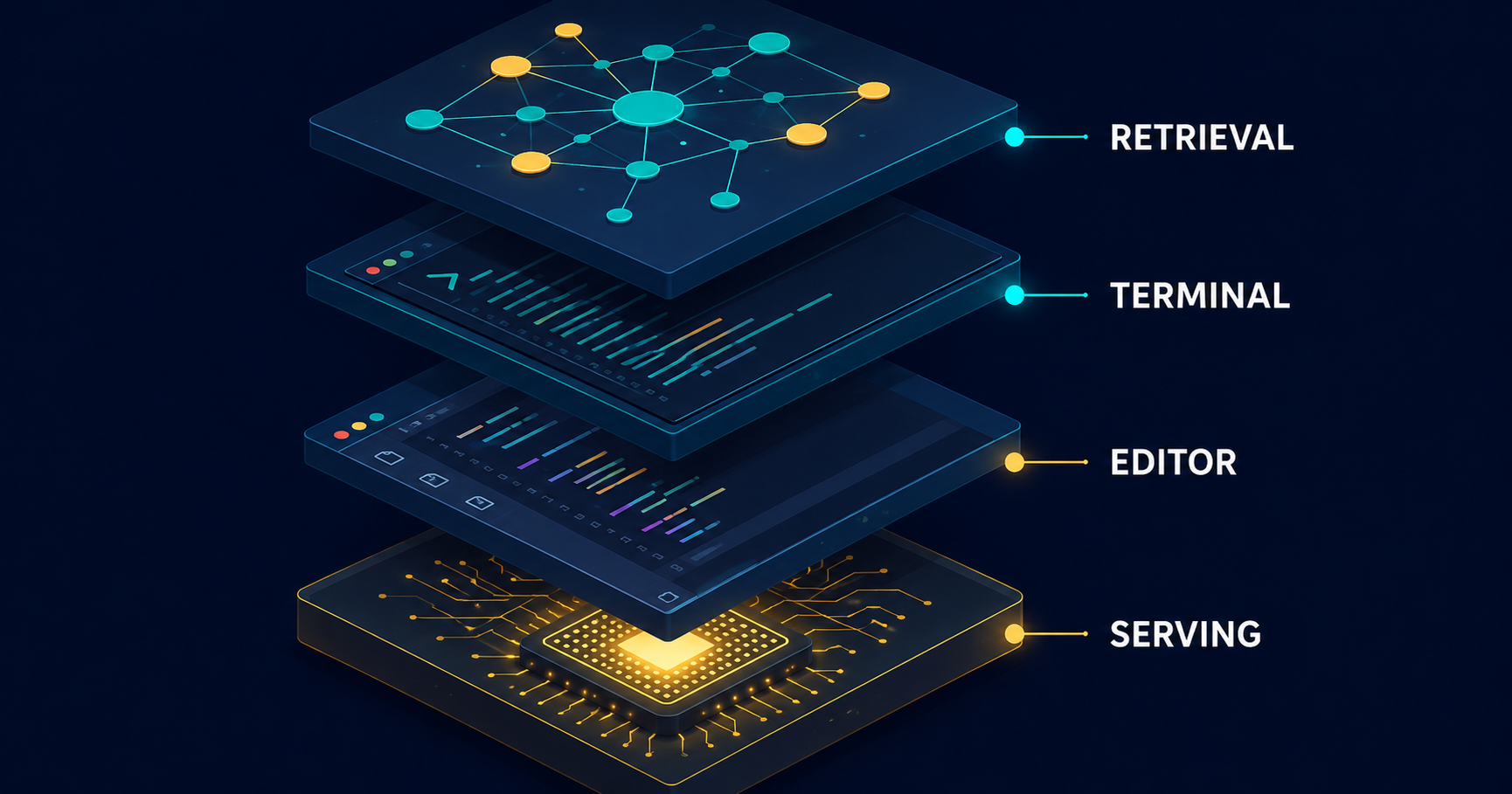
Every day this week someone posted the same screenshot: a freshly pulled model chatting agreeably in a terminal, captioned "running a model locally." Fine. Now what? Because the gap between I got a model responding in my terminal and I have a local setup that actually improves how I work is not the model. It's the tooling around it.
Small language models grew up. Open-weight models in the roughly 1B–14B range now run meaningfully on consumer hardware — 8–24 GB of VRAM, or Apple Silicon using unified memory — and they're capable enough for real, daily work. In 2026 the local-AI problem is no longer finding tools; there are too many. The challenge is understanding what each piece does and assembling it into something coherent.
So stop shopping and start stacking. Treat your local AI setup as four independent layers, and put one deliberate choice in each.
Layer 1 — Serving: the engine room
Everything else in your stack talks to this layer. It runs an open-weight model on your hardware and exposes an interface the rest of your tools can call. The core trade-off here is ease of setup versus depth of control.
Ollama is the default for individual developers: a lightweight background service that handles hardware detection and VRAM management automatically and serves a simple REST API (port 11434) that every higher-level tool already knows how to talk to. You pay for that simplicity — deeper performance tuning is abstracted away, which matters more at scale than in a one-developer setup.
LM Studio is the visual option: a desktop app for discovering and downloading models from Hugging Face, running several side-by-side to compare, and serving as a drop-in OpenAI-compatible API. Ideal for picking a model; less ideal as a lean, headless service.
Past those, llama.cpp and vLLM solve different problems. llama.cpp is the inference engine underneath Ollama; using it directly buys granular control over quantization formats and compile targets, down to CPU-only edge hardware, at the cost of a steep manual setup. vLLM is a GPU-native serving engine built on PagedAttention and continuous batching — overkill for one dev, exactly right when "local" means serving an engineering team at concurrent volume.
Start with Ollama. Upgrade to vLLM or raw llama.cpp only when your requirements — concurrency, fine-grained control — actually demand it.
Layer 2 — Editor: where code meets context
A served model is useless until it's wired into where you work. The editor layer decides how.
Cline is the strongest agentic option in VS Code: describe a task and it plans, creates and edits files, and executes terminal commands, with a Plan/Act split that keeps you in control at each step. It's bring-your-own-key, model-agnostic, works cleanly against a local Ollama endpoint, and speaks the Model Context Protocol so it can touch databases and APIs. With over 5 million installs it's the most widely adopted open-source coding agent around. The real price is resources: agentic tasks burn through context windows far faster than autocomplete — the exact constraint that hurts on a consumer GPU.
For a lighter Copilot-style experience, options have narrowed: Cursor absorbed Continue.dev in June 2026 and its standalone product is dead, its repository read-only. The pragmatic local path is Cline, a lighter community fork like Kilo Code, or Ollama-backed completions through your editor's extension ecosystem. If you run an agentic tool against a 7B model, choose a model with a large context window first and the tool second.
Layer 3 — Terminal: repo-wide automation
Some work outgrows the IDE — whole-repo refactors, headless tasks, AI calls baked into a pipeline. That's the terminal layer.
Aider is git-first pair programming: it makes multi-file edits and commits with coherent messages, so you always know exactly what the AI changed. OpenCode, the dominant open-source CLI agent in 2026 with over 165,000 GitHub stars, is a provider-agnostic harness that manages file reads, shell execution, and the feedback loop between your code and the model — and it's designed for headless execution, so it embeds directly in CI/CD pipelines. Claude Code is arguably the strongest on raw agentic capability and can be pointed at a local Ollama endpoint, but it requires an internet connection for authentication even then. It is not a fully offline option — for teams prioritizing complete data isolation, that rules it out.
These CLI tools are largely model-agnostic, so your Layer 1 choice carries through cleanly.
Layer 4 — Context: local memory and retrieval
A model only knows what's in its context window at inference time. In project work, the relevant code, docs, and past decisions are spread across hundreds of files — the retrieval layer decides which snippets actually reach the model. This is the engine behind local RAG, and it's what makes a setup genuinely context-aware rather than merely prompt-responsive.
Embedded vector databases (Chroma, LanceDB) run in-memory or on local disk with no infrastructure to stand up, and are usually enough to start. Qdrant and pgvector earn their keep when scale or persistence grows: Qdrant is purpose-built for large embedding collections, and pgvector adds vector search to an existing Postgres stack without new infrastructure. If several people share one retrieval index, go standalone; for a single developer's project, embedded is almost always sufficient.
Assembling the stack
The whole point of the layered model is that the decisions are independent — swap one without rebuilding the others. A reasonable 2026 default for an individual developer: Ollama serving, Cline in the IDE, Aider or OpenCode in the terminal, and Chroma or LanceDB for retrieval. No cloud dependency, no per-token cost. As requirements shift you upgrade one layer at a time — Ollama to vLLM for concurrency, Chroma to Qdrant for a shared index. The architecture stays; the components evolve.
Two habits separate a working setup from a demo:
Tune before upsizing. Ollama's Modelfiles configure context window, temperature, and system prompt the way a Dockerfile configures a container — and most output quality lives in the system prompt. For code, extraction, and anything deterministic, hold temperature near 0.1–0.3; for data work keep the context window as small as the task tolerates, because larger contexts consume proportionally more memory.
Evaluate before committing. Build a 20–50 example set of your actual inputs and expected outputs and run candidate models against it. Leaderboard averages mislead: a model that fails gracefully on the 10% of cases you care about beats one that nails the average and breaks on your distribution. And test at your real context lengths — models that shine on short prompts can degrade badly on a long document.
The data-engineering angle
The least fashionable use of a local SLM is also the most immediately valuable to data teams: structured extraction, classification, and transformation tasks sit comfortably in a 7B model's wheelhouse, and running them locally means processing sensitive datasets without a byte leaving your machine. Document Q&A over internal docs, coding assistants that can see the real filesystem, and agentic workflows built from small, specialized agents are the patterns that actually earn their keep — in a multi-agent system, keeping individual agents small and modular keeps the whole system fast. And the 3B tier now rivals frontier models on narrow tasks: SmolLM3, Hugging Face's 3B flagship, was trained on 11.2 trillion tokens with a 128k context — the "bigger means better" assumption has quietly stopped holding.
The right stack is the one where the model is the least interesting part of the setup. In 2026, assembling it is a solved problem — if you build it in layers.


